Devlog #13: Save File 0
Happy Halloween! Meet Save File 0, a first-person survival horror game for the Game Boy Color that's coming to a real cartridge. The game is finally out in the open.
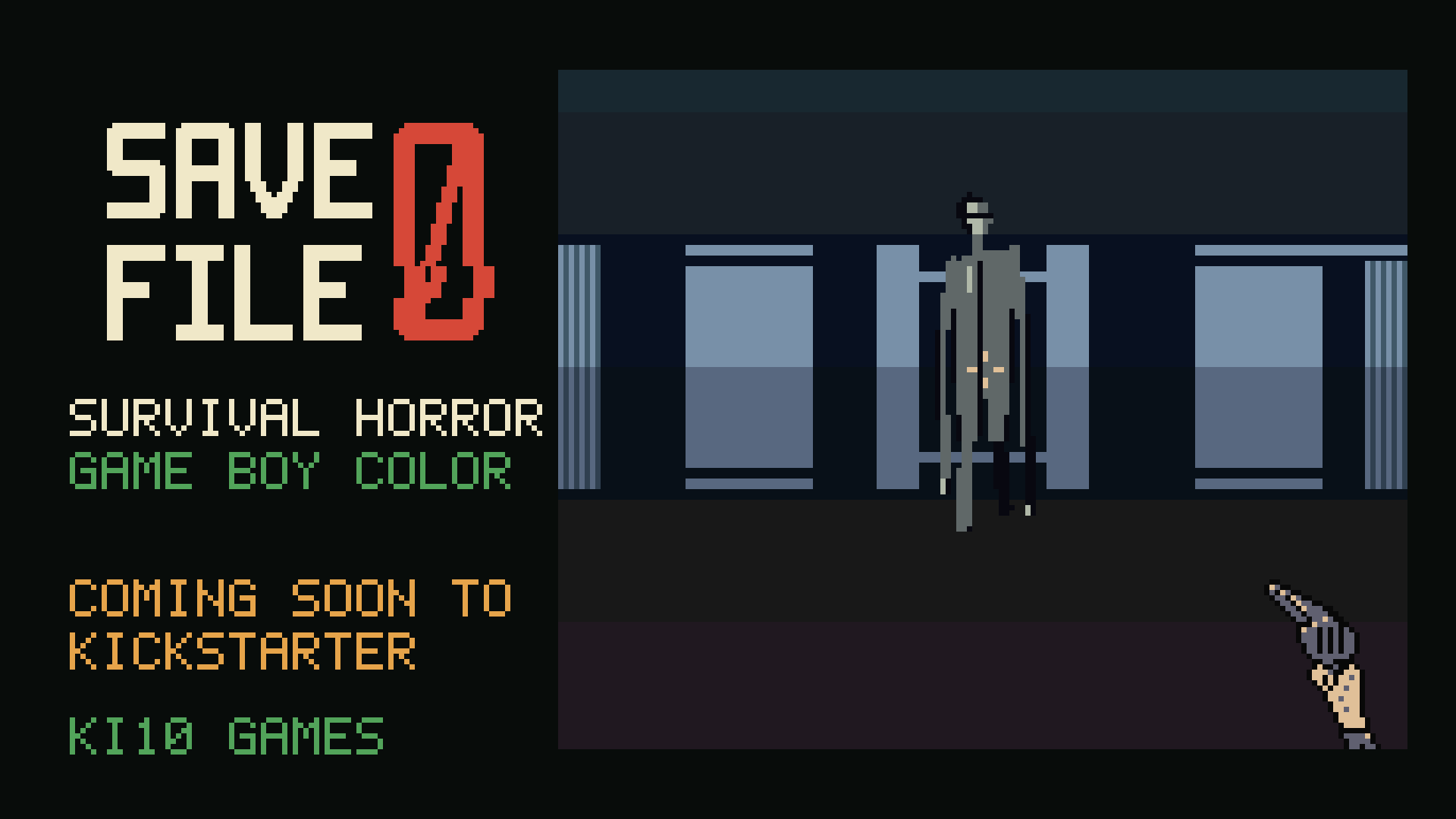
Happy Halloween!
I’ve been dying to tell you about this one, and I couldn’t think of a better day to do it. Meet Save File 0: a first-person survival horror game for the Game Boy Color.
Not a game made to look like a Game Boy game, either. It’s an actual Game Boy Color ROM that runs on the real console. I want to put it on a real cartridge, complete with a box and manual. We’re still figuring out the best way to bring the physical edition to players, but I couldn’t resist revealing the game on Halloween.
Here’s the teaser trailer first, so you know what I’m on about:
The teaser. Every shot is real gameplay, recorded from the game. Contains brief flashing.
What Is Save File 0?
You’re covering the night QA shift at Oriole Software. Their new build has a save bug that nobody can reproduce. Mara was looking into it, but she isn’t answering her phone. Her handover note is simple: make a save, load it back, write down anything odd.
So you make a save. Then you open the save index, and there’s a second file under yours.
00 FILE 0. No time. No owner.
Load it and you’re back in the same office. Same desk, same copier, same corridors. Except Mara’s revolver is lying on the reception counter, with a note under it: Don’t touch slot 0. If you loaded it, take this. It only buys a few seconds. And you’re not alone in the building any more.
The save index, recorded in build 18.
Why a QA Tester?
I’ve spent over nine years in games QA, and anyone who’s done the job knows this feeling. You’re in late, the office is empty, and there’s a save bug that only happens when nobody’s watching. The build is doing something it shouldn’t, and you can’t prove it.
That’s where Save File 0 starts. I wanted the scary part to come from the save system itself, and it turns out a Game Boy cartridge is surprisingly good at that. More on that in a bit.
Why the Game Boy Color?
I’ve had a soft spot for this console since it came out. I had a purple one, and my first game on it was Pokémon Red, then Pokémon Yellow, Pokémon Gold and Donkey Kong Country. I had all the daft attachments too, like the screen magnifier and the little light that plugged into the side port.
I recently modded a Game Boy Color with USB-C charging and an OLED screen, and put it in a clear purple shell as a nod to my original. There are two more waiting to be modded. So yes, I’ve got a bit of history with this thing, and I love it to death. Which feels about right for today.
Two Saves, One Office
The whole game is built around one idea: each save file is its own copy of the building, and when you load a save, you load in exactly where you’re standing.
Your own save is the ordinary office. It’s quiet, and it’s where you patch yourself up. FILE 0 is the same office, but wrong, and it’s where things hunt you.
Same desk, different save.
Most of the puzzles come from switching between the two:
- A door you open in your save stays open in FILE 0.
- Server racks block a room in FILE 0, but they aren’t there in your save. So you walk round them in your save, then load FILE 0 on the other side.
- So a lot of the game is about choosing where to stand before you load.
And sometimes FILE 0 leaks back the other way. Visit it, load your own save again, and things aren’t quite how you left them.
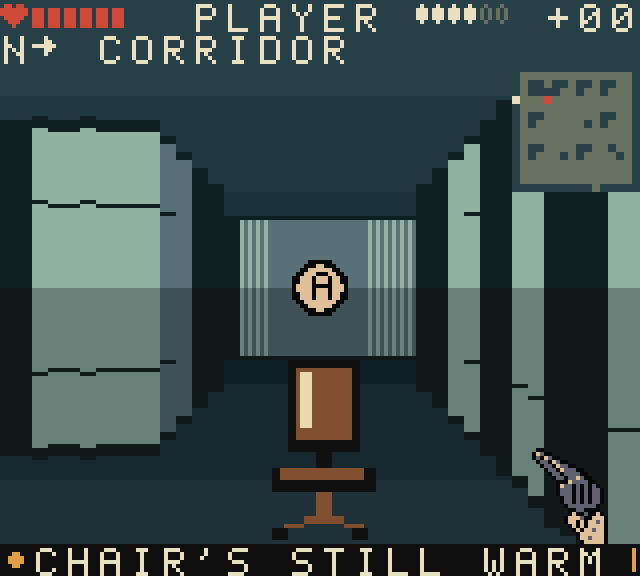
Your own save, after a trip into FILE 0.
The Occupant
The thing in FILE 0 can’t be killed. A shot staggers it for a few seconds, and that’s all you get.
You’ll usually hear it before you see it. Its footsteps come from the side it’s on and get louder as it gets closer, and if the hum in the building suddenly cuts out, it’s about to come through a door. Your options are the old ones: break its line of sight, or find a locker and keep very still. Just don’t let it see you climb in.
And because everyone asks how you run away from something on a D-pad: B + Down spins you round 180° on the spot, and holding B turns Left and Right into a sidestep.
Left: the Occupant. Right: the inside of a locker, which is where you’ll want to be.
It isn’t the only thing in there, mind. There are crawling remnants that take two shots each, and you never have many bullets. Or one shot, if you’ve got the nerve to wait until one rears up to lunge at you. And there’s the office copier, which starts printing on its own.
Left: a crawler and the point-blank shot. Right: the copier, printing on its own.
The Cartridge Remembers
Because Save File 0 runs from a real cartridge with its own save memory, it can do things a download can’t. I’m not going to spoil most of them, but here’s a small one.
If you switch your Game Boy off while FILE 0 is loaded, the game notices.
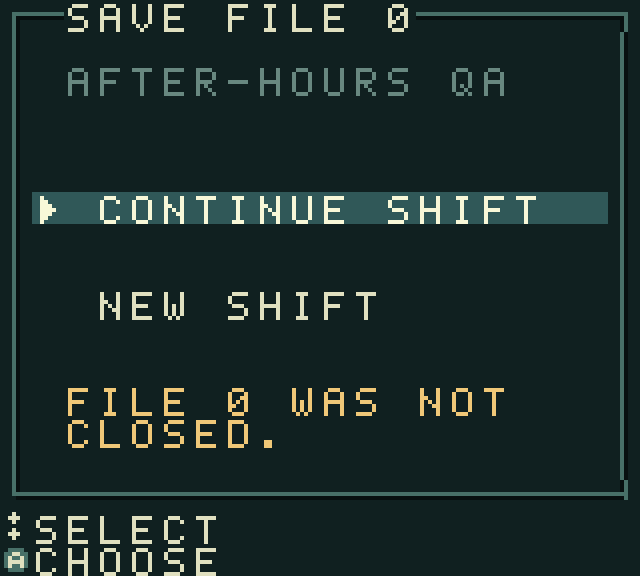
The title screen, after switching off with FILE 0 loaded.
How It Started (and How It’s Going)
Old QA habits: every build gets archived before I change anything, with the ROM, screenshots and footage. That means I can show you exactly how the game got from there to here. Save File 0 is on build 18 now, not counting all the point releases in between.
Here’s one of the very earliest versions. Flat walls, a big CHECK A TERMINAL prompt, and an Occupant that was more “thin bloke in a corridor” than anything scary.
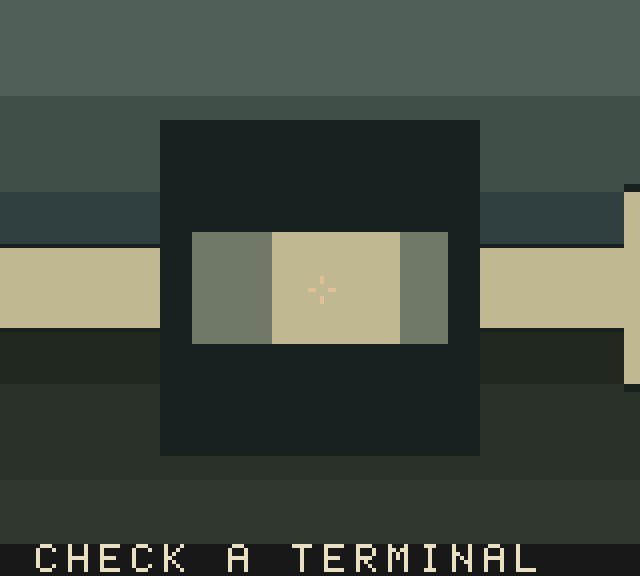
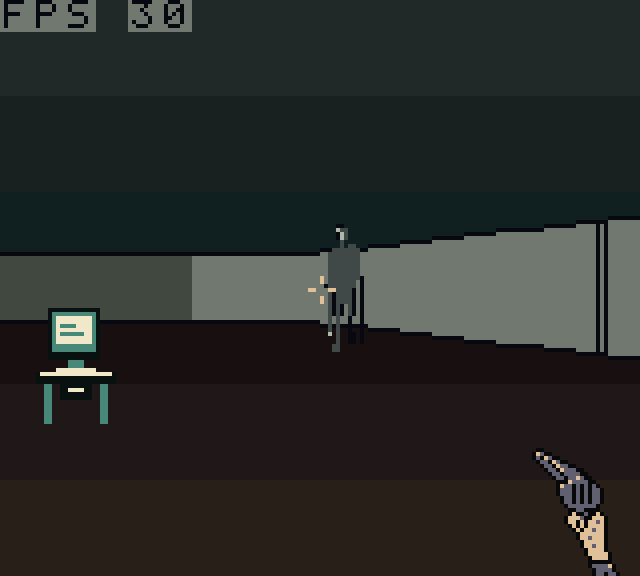
The early days. Even then, there was an FPS counter in the corner.
By build 2, the two saves were in, with a big label at the bottom telling you which one you were in. FILE 0 went red, and the floor went a sort of rusty brown.
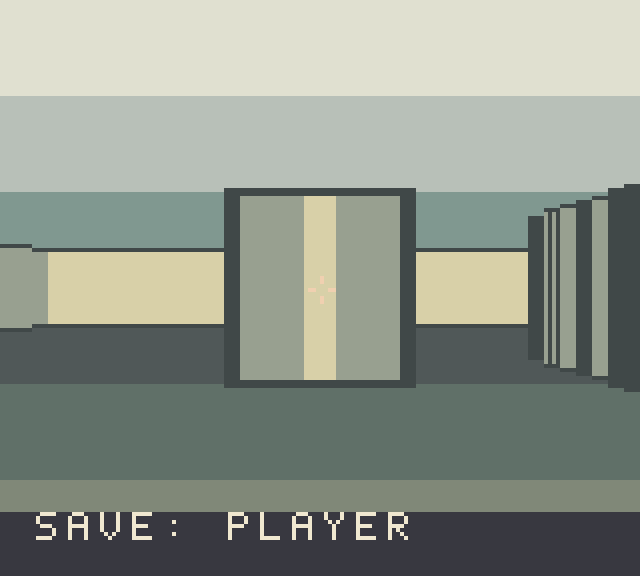
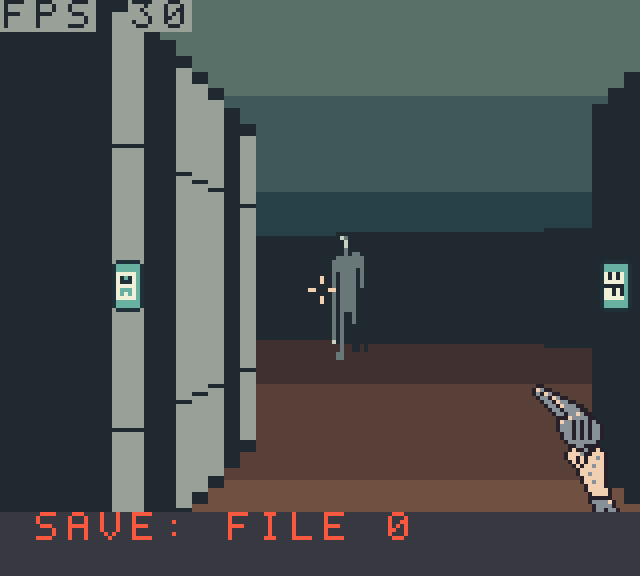
Build 2: your save on the left, FILE 0 on the right.
By build 4, the walls were starting to look like walls, with panelling and proper office props.
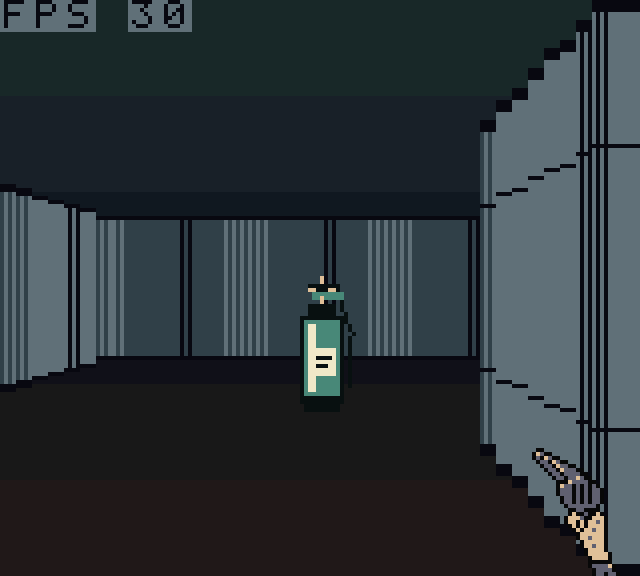
Build 4.
Build 8 made the furniture bigger up close and added a live HUD along the top. Before that, objects stayed tiny even when you were stood right next to them.
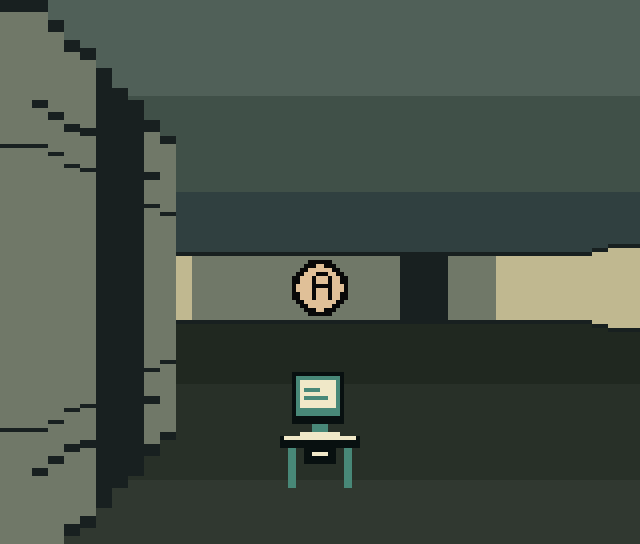
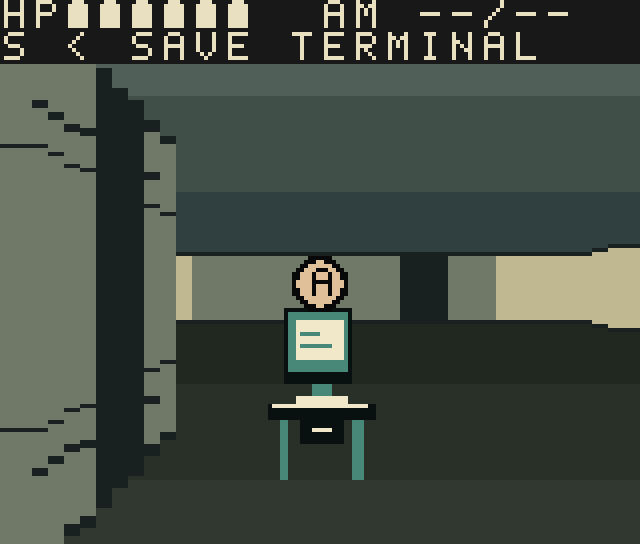
Same spot, before and after build 8.
By build 10, the HUD had become hearts, bullets and a compass floating over the room. Build 12 added the minimap, build 14 put Mara’s revolver on the desk for you to find, and build 16 added the label that tells you which save you’re in.
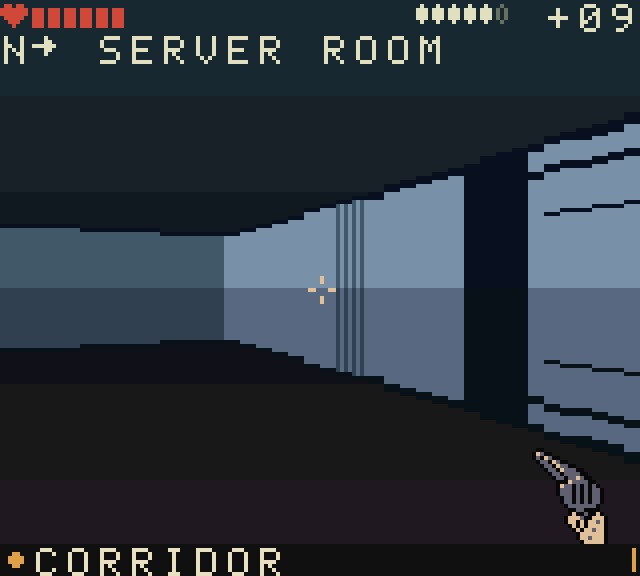
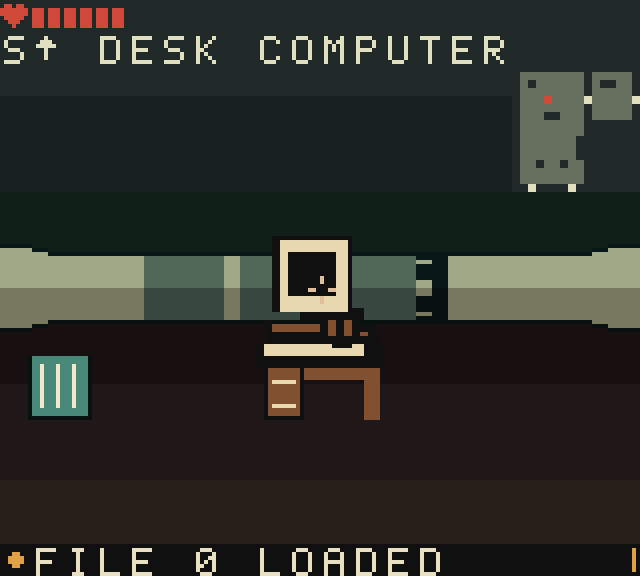
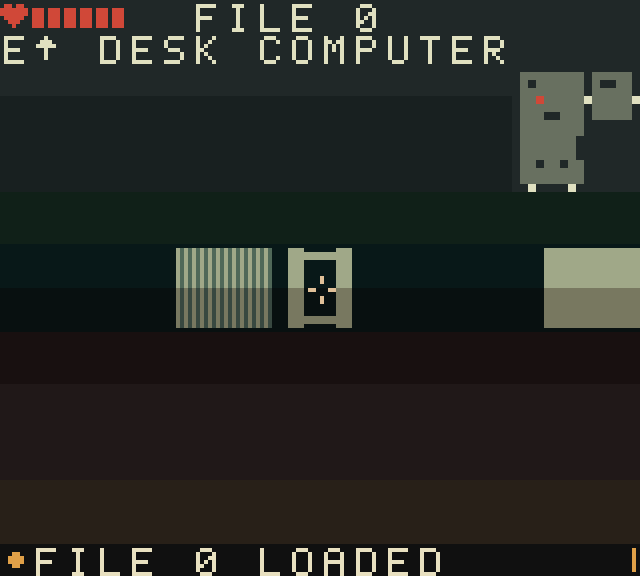
Builds 10, 14 and 16.
And build 18, the latest, redrew the crawlers so they look like what’s left of people rather than bugs.
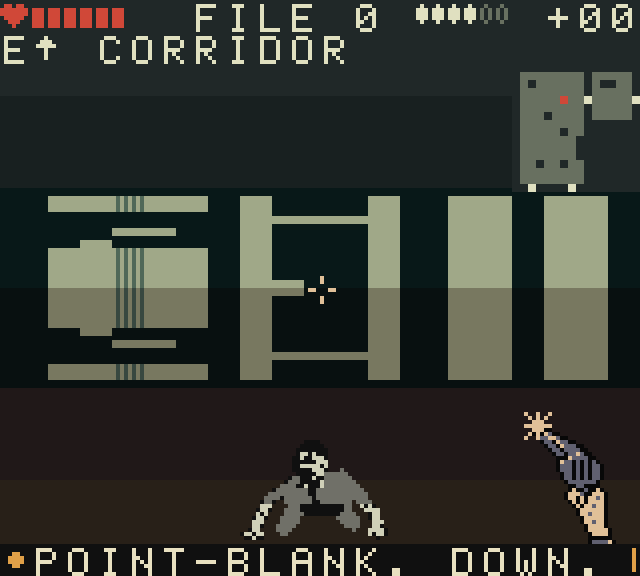
Build 18’s redrawn crawler, going down to a point-blank shot.
Getting a Game Boy Color to Do This
The Game Boy Color was never meant to run a first-person game. Save File 0 uses a raycaster: 40 rays across the screen, drawn as four-pixel wall columns, aiming for a steady 30 frames per second using the GBC’s double-speed mode.
Drawing the picture is the easy bit. The hard part is getting it onto the screen. The Game Boy only lets you touch video memory during a tiny gap between frames, about ten scanlines long. The finished frame, the HUD, the minimap and the colour palettes all have to share that gap. A lot of the work so far has been fitting everything in, and catching the cases where something quietly misses its slot. The minimap, for example, used to freeze whenever you moved, because it kept missing the gap.
Sound uses all four of the Game Boy’s channels: the building’s hum, your heartbeat, footsteps, doors and the odd creak you’d rather not think about.
I’ve been testing in emulators, including one set up to copy the real hardware’s timing. In that one, build 18 holds 30 frames per second in every room, even with the Occupant and three crawlers in the corridor at once. I’ve also confirmed Save File 0 runs on my own original Game Boy Color using a flashcart. That’s a big milestone, although the dedicated prototype cartridge is still being made, and I’ll test its save memory and reliability when it arrives. I’ll share that in a future devlog.
It’s written in C and assembly with GBDK, and I use AI tools to help with the programming side.
Built Like a QA Tester
Most of the changes come from playing it and writing notes like I would for any bug report. A few favourites:
- The game used to explain its own rules on screen. It doesn’t any more. You find out what FILE 0 does by loading it.
- There were six first aid kits in the game, all hidden in shelves, and nobody found any of them. Now there are cases you can actually see.
- In one build you could get yourself stuck somewhere your save wouldn’t load. I fixed it and added a test so it can’t come back. That one’s the QA brain again.
The Physical Release
The plan is a proper physical release:
- A real Game Boy Color cartridge with your saves stored on the cart.
- A complete-in-box edition with a printed box and instruction manual.
- A digital ROM too, if you’d rather play it on a flash cart or an emulator.
We’ve now got a printed prototype box too, and it makes the whole thing feel much more real. We’re exploring the options for the physical edition, so there’s no release date or crowdfunding announcement to share just yet.
What’s Next
- November: the first dedicated prototype cartridge. The game already runs on my Game Boy Color via flashcart; next I’ll test and photograph the purpose-made cart, including its save functionality.
- Next: keep building towards a free playable demo, so you can try it for yourself.
- When the plans are confirmed: I’ll share how and when you can get the game.
And no, the other games haven’t gone anywhere. Boop n Burn is still heading for Steam Next Fest in February.
If this sounds like your kind of thing, come and chat about it on Discord, or take a look at the Save File 0 game page. I’d love to hear what you think.
Thanks for reading, and happy Halloween,
Mark
All footage and screenshots were captured in an emulator from builds of Save File 0, and some on-screen text has changed since. Save File 0 is an independent game. It is not licensed or endorsed by Nintendo. Game Boy Color is a trademark of Nintendo.